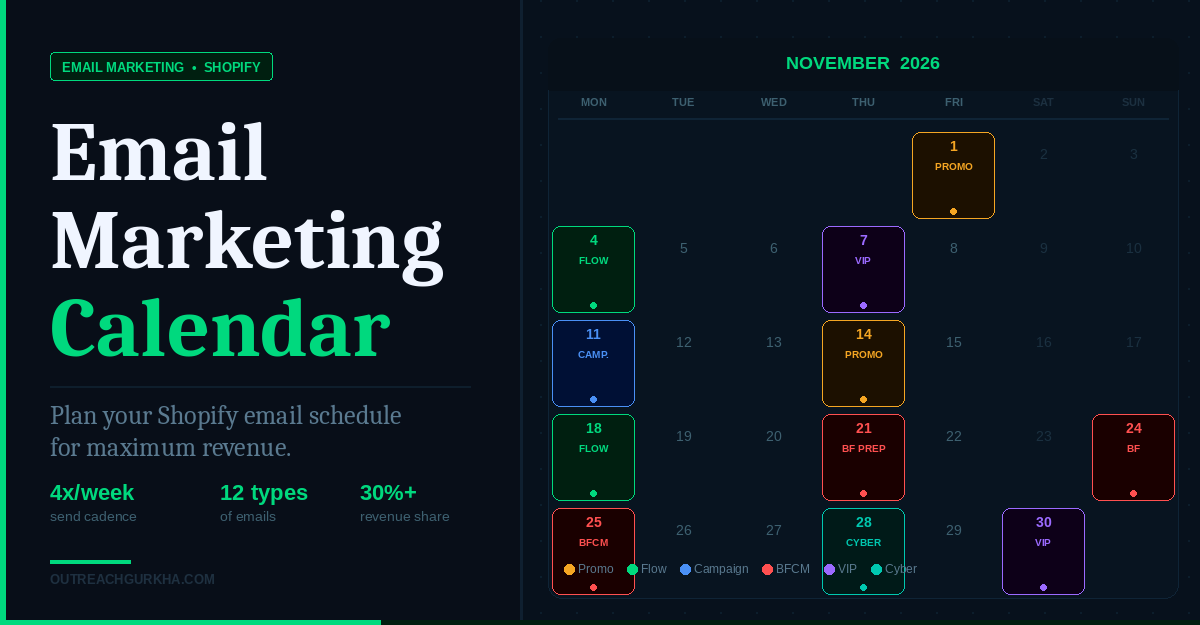
Email Marketing Calendar: How to Plan Your Shopify Email Schedule for Maximum Revenue
Sending too few emails leaves revenue on the table. Sending too many drives unsubscribes that damage your list for months. This guide gives you the exact framework — frequency, content ratio, seasonal calendar, and a sample monthly plan — to get both right.
Most Shopify store owners fall into one of two patterns with email. Pattern one: they send sporadically — a campaign when there’s a sale, silence for three weeks, then another blast when they remember. Pattern two: they go through a growth phase, start sending daily, watch unsubscribes spike, and panic back to monthly sends.
Both patterns leave significant revenue uncaptured. The answer is not a single magic frequency — it is a planned system. One that maps out the commercial moments worth emailing around, maintains the content mix that keeps subscribers engaged, and uses your unsubscribe rate as a live indicator of whether your cadence is calibrated correctly.
This is that system.
1. The Golden Question: How Often Should Shopify Stores Email Their List?
The honest answer: there is no universally correct frequency. But there is a data-backed range — and a reliable way to know when you have gone too far in either direction.
What the 2026 data shows
Sources: Opensend 2025 (ecommerce frequency research), Salesforce Marketing Cloud analysis of 19 billion sends (2026), HubSpot 2025.
The frequency framework by list segment
The most important insight in email frequency is that the right number is not the same for every subscriber on your list. A customer who bought from you twice in the last 30 days can receive emails more frequently than a subscriber who has not opened in 60 days. Sending the same volume to both is the mistake.
| Subscriber segment | Recommended frequency | Why |
|---|---|---|
| New subscribers (0–30 days) | Welcome series (4 emails over 6 days) then move to standard cadence | Peak engagement window. Higher frequency is tolerated and expected. |
| Active buyers (purchased in last 60 days) | 2–3 per week during peak periods · 1–2 per week standard | High-trust relationship. More receptive to relevant product offers. |
| Engaged non-buyers (opened, no purchase) | 2–4 per month | Building trust. Too much selling too early drives unsubscribes. |
| Lapsed subscribers (60–180 days no open) | 1 per month maximum | Low tolerance. Over-sending accelerates permanent churn. |
| Unengaged (180+ days no open) | Re-engagement campaign only, then suppress | Sending to these contacts damages deliverability for the entire list. |
2. How to Build a 12-Month Email Marketing Calendar for Shopify
A 12-month calendar is not about filling every date — it is about mapping the commercial moments where email will generate the most revenue, and ensuring the right mix of content fills the gaps between them.
Layer 1 — Seasonal campaigns (non-negotiable dates)
These are the commercial events that your customers are already shopping around. Missing them entirely is leaving money on the table. Being late to them (sending on the day rather than building up to it) means competing with every other brand in a crowded inbox simultaneously.
The BFCM strategy most brands get wrong: Sending your Black Friday email on Black Friday. Every other brand does the same. Your subscribers’ inboxes are at maximum saturation on November 28th. Send your VIP early access email 3–4 days before. Send your public launch email the day before. By the time Black Friday arrives, your best customers have already purchased — and you’ve avoided the inbox war entirely.
Layer 2 — Product launches
Every product launch deserves its own mini-campaign: a teaser (7–10 days before), a launch email (day of), and a follow-up to non-openers (3–5 days after). Treat product launches as an event — not a single email — and Revenue Per Recipient on launch sends increases significantly. Add a waitlist signup for upcoming launches to your site in advance, then segment the launch email to waitlist subscribers first.
Layer 3 — Evergreen campaigns
Evergreen campaigns are not tied to a seasonal moment or product launch. They fill the calendar between commercial events and serve the relationship function: keeping your brand present without demanding a purchase. Examples: “our bestsellers this season,” a customer story, behind-the-scenes content, a useful guide related to your product category, or a product education email. These should make up 30–40% of your monthly campaign volume.
3. The 80/20 Email Content Rule: Value vs. Promotion Ratio
The most common email fatigue pattern: a store sends nothing but promotional emails — sales, discounts, new arrivals, limited-time offers — month after month. Subscribers start ignoring everything because they know every email is a pitch. Then open rates drop. Then the store discounts more aggressively to compensate. Then unsubscribes spike.
The fix is the content ratio. A healthy Shopify email calendar runs roughly 60% strategic (sell something) and 40% relationship (build trust for later). In practice, this means:
60% — Strategic sends (sell now)
- Product launch and new arrivals
- Seasonal and promotional campaigns
- Flash sales with genuine deadlines
- Abandoned cart recovery (automated)
- Back-in-stock announcements
40% — Relationship sends (build trust)
- Product education (“get more from what you bought”)
- Customer story or UGC feature
- Behind-the-scenes / founder update
- Useful guide relevant to your product category
- Loyalty milestone acknowledgement
The relationship emails are the ones most brands skip — and they are the most important ones for long-term list health. A subscriber who has read your brand story, seen your customer results, and received genuine value from you will respond to the next promotional email at a higher rate than a subscriber who has only ever received discount codes.
4. How Long Should Marketing Emails Be?
The correct length is the length required to achieve the email’s one job. No longer. Here is how that plays out across different email types:
The one rule that overrides everything else: One email. One job. One CTA. An email that tries to announce a new product, share a customer story, promote a sale, and invite subscribers to follow you on Instagram will do none of them effectively. Decide what the email’s single job is before writing a single word.
5. Newsletter Strategy for Ecommerce: What to Include, What to Skip
The word “newsletter” is used loosely in ecommerce email — it often becomes a catch-all for “the email we send when we don’t have a specific campaign.” That is the wrong approach. A newsletter should have a defined purpose and a specific reason to exist beyond filling the calendar.
What to include in an ecommerce newsletter
✓
✓
✓
✓
What to skip
✗
✗
✗
✗
6. Sample Monthly Email Calendar — What a Good Month Looks Like
Here is a worked example of a healthy campaign calendar for a mid-sized Shopify store doing $30K–$60K/month. This is the active campaign layer — all five lifecycle flows (welcome, abandoned cart, post-purchase, browse abandonment, win-back) are already running in the background and are not included here.
This example: 6 campaign sends in October. 2 are relationship sends. 1 is VIP-only. All are to defined segments — not the full list. Automated flows (abandoned cart, welcome, post-purchase, browse, win-back) are running continuously in the background.
How to build your own calendar template
Structure your template with five columns: Send date, Email type (promotional / relationship / VIP / re-engagement), Content angle (one sentence describing what the email covers), Audience (which segment or list), and Success metric (what you will measure). Populate all seasonal slots first — these are fixed. Then fill the gaps with product launch slots, planned relationship sends, and quarterly list health sends. Aim for 4–8 campaign sends per month total, with at least 1–2 of them being relationship content.
Email Calendar Quick Reference — 2026
We’ll plan and manage it for you
Don’t Have Time to Plan? Let Outreach Gurkha Manage Your Email Calendar
We build your 12-month email calendar, write and design every campaign, manage your automated flows, and report on revenue — not open rates. You review and approve. We handle the rest.
No retainer. No setup fee. We charge 10% of the email revenue we generate — after it arrives in your Shopify account.
Free audit delivered as a Loom in 48 hours.
12-month calendar built in Week 1.
For Shopify stores doing $10K–$150K/month.